
Colorize a black-and-white photo
Natural, period-appropriate colour added to a monochrome photo — skin, fabric, foliage and sky each judged separately.
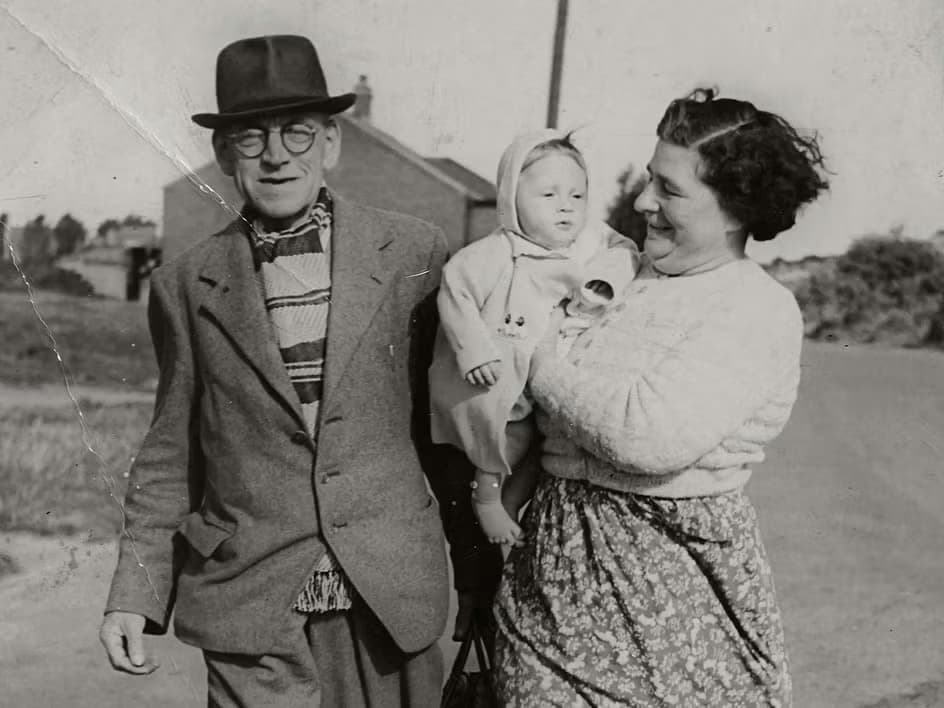 Before
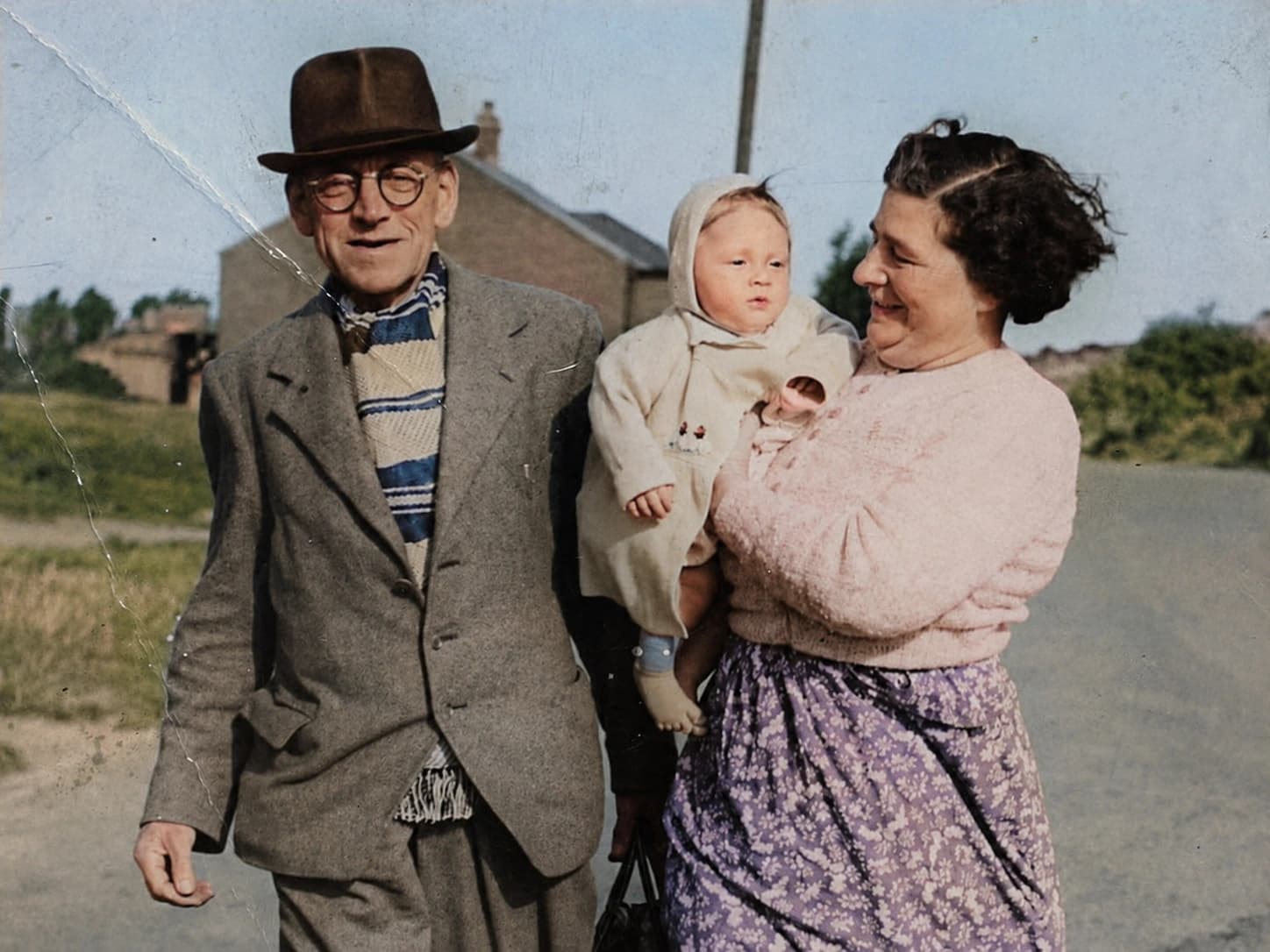 After
AfterWhy use Photo Colorizer
Add natural colour to a black-and-white photo.
Colour that suits the era
A 1940s photograph gets 1940s colour. Clothing, paintwork and interiors are read in context rather than tinted at random.
Skin tones handled with care
Skin is where colourisation usually goes wrong. It gets the most attention here.
Materials read differently
Wool, brick, grass and sky are each given colour appropriate to what they are, which is what stops the result looking hand-tinted.
Detail preserved
Colour is added over the original tones — the sharpness and grain of the photograph stay as they were.
How it works
- 1
Upload a monochrome photo
A scan or a phone photo of a print both work.
- 2
Colorize
Colour is assigned per region and blended over the original detail.
- 3
Save
Download the colour version. The original is untouched.
Frequently asked questions
- Are the colours historically accurate?
- They are plausible, not documented. Nothing in a black-and-white photo records the actual colour of a dress, so treat the result as a considered interpretation.
- Should I restore the photo first?
- If the print is scratched or faded, run Restore Old Photo first and colorize the repaired version. The results are noticeably better.
- Does it work on sepia photos?
- Yes. Sepia and other single-tone prints colorize as well as pure black-and-white.
- Can I change a colour I do not like?
- Not directly. Running it again produces a different interpretation, which is usually the quickest route.
- What about a photo that is already in colour?
- Use Photo Enhance instead — that is the tool for correcting colour that is already there.
More like this
- Remove ObjectsErase anything from a photo and fill the gap convincingly
- Photo EnhanceSharpen detail, fix lighting and lift a flat photo
- Restore Old PhotoRepair scratches, fading and damage on an old print
- Photo to SketchTurn a photo into a hand-drawn pencil sketch
- Blur BackgroundDrop the background out of focus and lift the subject
- Passport Photo MakerCorrectly sized ID photos on a compliant background
- Image to PromptTurn a reference photo into a detailed, reusable prompt